IPTV App Comparison

Livo Player vs the IPTV Apps People Compare Most Often

If you are choosing between the most talked-about IPTV apps, the real question is not which one has the longest feature list. It is which player fits your screens, your playlists and your daily viewing habits with the least friction.


Download Livo Player on the App StoreGet Livo Player on Google Play

This page compares app positioning and day-to-day trade-offs. Livo only plays user-provided playlists and does not provide channels, subscriptions or media content.
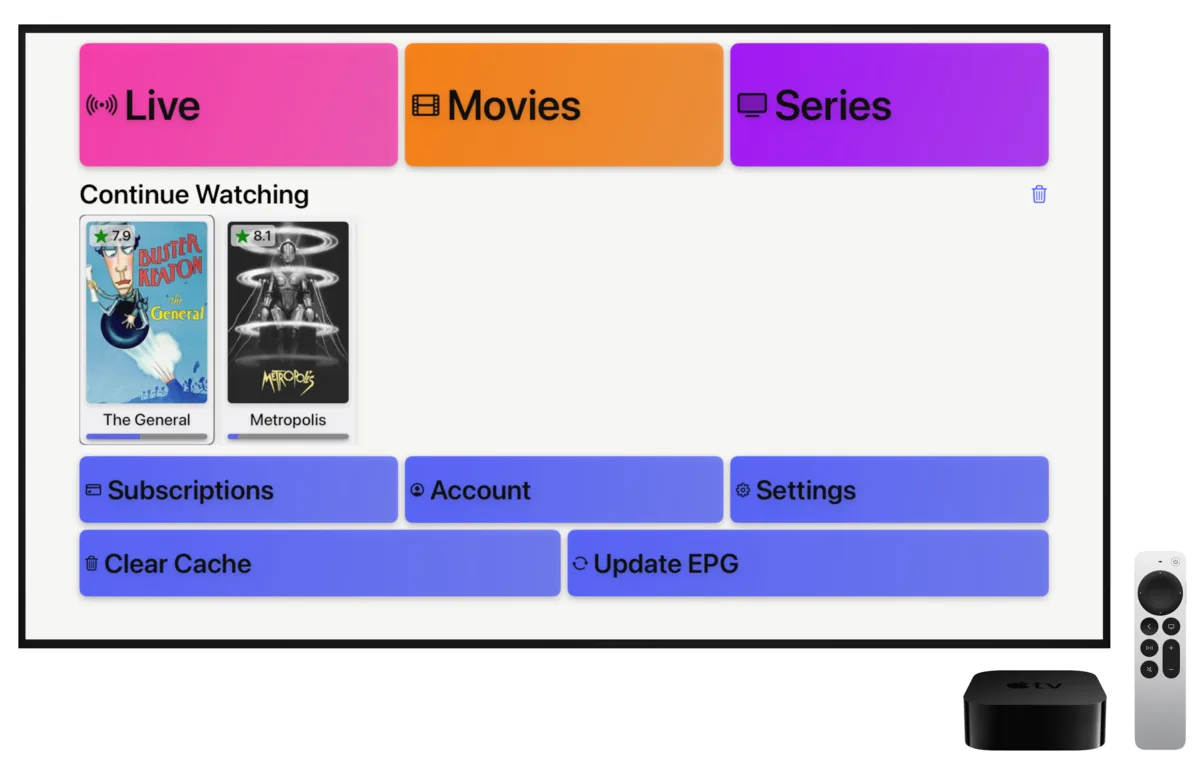

IPTV player interface on Apple TV
IPTV player interface on tablet
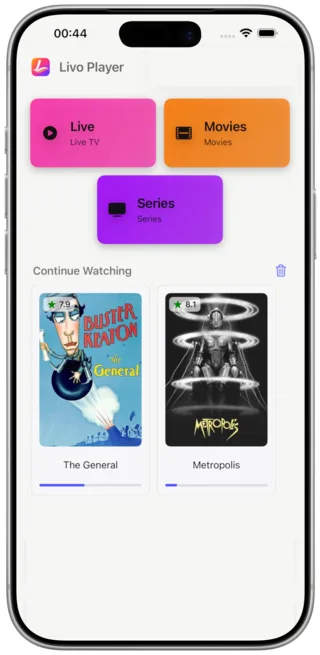
Continue watching IPTV on mobile

Where Livo Usually Stands Out

Across the comparison links in your report, the same buying criteria show up again and again: device fit, playlist setup, day-to-day clarity and whether the app feels good beyond the first install. That is where Livo has the clearest story.

Stronger Apple fit

Livo is easier to position when the user cares about Apple TV, iPhone and iPad together instead of a TV-only setup.

Cleaner cross-device routine

The product message is simpler for people who move between television, tablet and phone during the same week.

Less setup anxiety

Livo already leans on M3U and Xtream playlist setup, so the page can emphasize getting from import to playback quickly.

Popular IPTV Apps Compared by Use Case

These are the names that appear most often in the competitor roundups from your report. Instead of pretending every viewer wants the same thing, the comparison below frames each app around the type of user it usually fits best.

TiviMate

Often recommended when someone mainly watches on Android TV or Fire TV and wants a television-first feel.

TV-first Android setup
Why people choose it
  • Common pick in TV and Fire TV roundups
  • Easy to position for living room use
  • Appeals to users who want a dedicated TV workflow
Where Livo can feel stronger
  • Less compelling if the user also values Apple TV, iPhone or iPad continuity
  • Not the clearest story for people who switch between TV and mobile often

IPTV Smarters Pro

Frequently mentioned because many users already know the name and expect a familiar all-purpose IPTV app.

Broad familiarity
Why people choose it
  • High name recognition in IPTV comparison articles
  • Often considered by users who want a familiar starting point
  • Works well in conversations around basic playlist support
Where Livo can feel stronger
  • Livo is easier to position around speed, clarity and lower visual clutter
  • Livo has a cleaner message for users who want a modern app feel instead of a generic utility feel

OTT Navigator

Usually attracts viewers who like tweaking their setup and want more control over how content is organized.

Power users
Why people choose it
  • Appeals to users who enjoy detailed control
  • Fits comparison pages aimed at advanced IPTV users
  • Feels relevant when the audience wants customization depth
Where Livo can feel stronger
  • Livo is easier for everyday users who want less learning curve
  • Cleaner positioning for households that prioritize ease and consistency over tuning

XCIPTV

Shows up in many roundups as a practical option for people who mainly want to get a playlist running.

Utility-style playback
Why people choose it
  • Often included in broad top-app lists
  • Simple to mention when the conversation is about getting started quickly
  • Useful in more functional, no-frills recommendation threads
Where Livo can feel stronger
  • Livo has a better story when polish and device continuity matter
  • Stronger fit for users who want their IPTV player to feel more productized and less purely utilitarian

Perfect Player

Still appears in comparison content because some users prefer a simpler, more traditional IPTV player style.

Classic lightweight feel
Why people choose it
  • Recognizable name in older and mixed comparison lists
  • Appeals to users who prefer a more classic player mindset
  • Easy shorthand for a no-nonsense IPTV option
Where Livo can feel stronger
  • Livo is easier to market as a more modern experience across current devices
  • Better match for users who care about design clarity and multi-screen continuity

Livo Player Pros and Cons

This section focuses only on claims already consistent with the product site and docs. It keeps the comparison page grounded and avoids overpromising.

Pros

  • Built around personal M3U and Xtream playlist playback
  • Clearer positioning for Apple TV, iPhone and iPad users
  • Works across TV, phone and tablet instead of a single-screen story
  • Continue watching and viewing continuity are already part of the site message
  • Favorites and watch history support reinforce daily use
  • Cleaner, faster interface is easier to sell than a dense control-panel feel

Cons

  • Livo does not provide channels, subscriptions or ready-made playlists
  • The experience still depends on the quality of the user’s own playlist source
  • Users who want a heavily tweakable power-user workflow may compare it against more specialized alternatives

How This Comparison Is Framed

The shortlist comes from the competitor names repeated most often in your report links. The copy intentionally compares likely use cases and positioning, not undocumented feature checklists for third-party apps.

FAQ

Who is this comparison page for?

It is designed for visitors who are actively comparing IPTV apps and want a faster way to understand where Livo fits against the names they already know.

Does Livo provide IPTV content?

No. Livo is a player for user-provided playlists only. It does not sell subscriptions, channels or media libraries.

Why focus so much on Apple TV and cross-device use?

Because that is one of the clearest ways to position Livo differently from the most repeated comparison targets in your report.

Why are the competitor comparisons use-case based?

That keeps the page useful without making risky claims about current third-party feature sets. The goal is to help visitors self-select the right product fit.

Try Livo Player on the Screens You Already Use

If your audience wants a modern IPTV player with a cleaner interface, personal playlist support and a better Apple-to-mobile story, this is the angle worth leading with.

Download Livo Player on the App StoreGet Livo Player on Google Play