Modern IPTV Player for Live TV and Playlists
Livo Player is a modern IPTV player designed for live TV, movies and series playlists. Add M3U sources instantly and continue watching across Apple TV, Android TV, iPhone and tablets.


Works on iPhone, iPad, Apple TV, Android phones and Android TV.
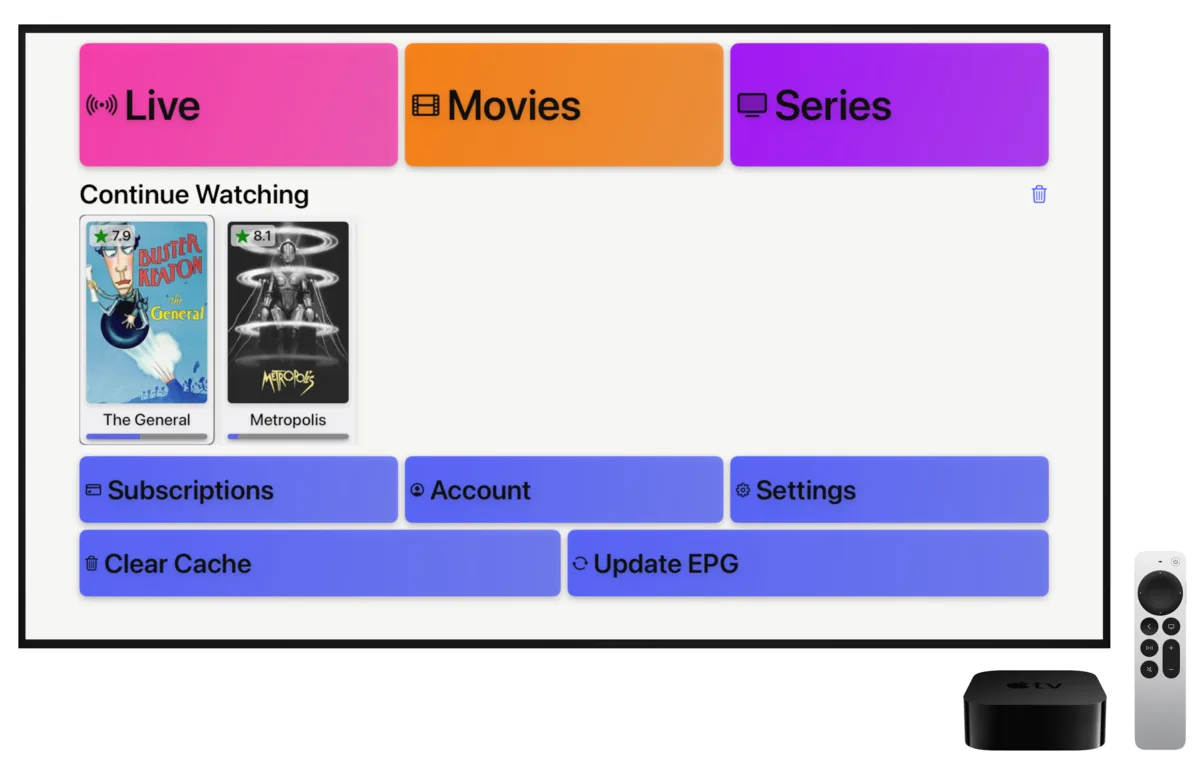

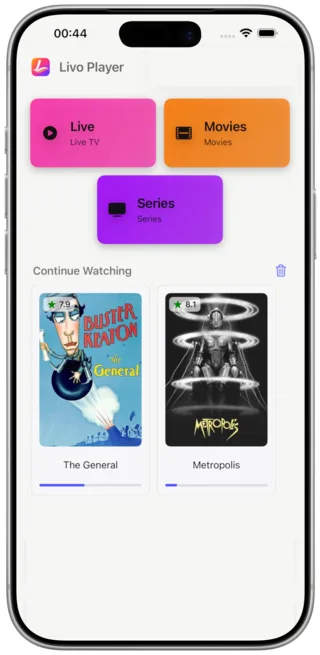
Watch IPTV on Every Device
Livo Player brings the same polished IPTV player experience to the screens you use most. Open live TV channels on your couch, browse series on a tablet in the kitchen, or check movies on your phone while traveling. The interface stays clean and familiar across Apple TV IPTV setups, Android TV IPTV boxes, touch devices and larger tablet layouts, so moving between devices feels natural instead of fragmented.
Start with the setup guide to install the app and learn how the IPTV player fits into your daily viewing routine.
Continue Watching Across Phone, Tablet and TV
Continue watching is where Livo stands out as a modern IPTV player. Start a live TV stream on the living room screen, pause it, then pick up your M3U playlists on mobile without hunting for the same title again. This matters for Apple TV IPTV users who switch to iPhone on the go, and for Android TV IPTV households that also watch on tablets. Your viewing flow stays connected instead of restarting from scratch.
Need help keeping progress in sync? Visit troubleshooting for common playback and device handoff issues.
Add M3U Playlists in Seconds
A good IPTV player should make playlist setup feel immediate, not technical. Livo is designed so you can add M3U playlists quickly, organize sources cleanly, and move from import to playback with very little friction. Whether you manage one main list or several separate M3U playlists for live TV, movies and series, the app keeps the flow simple on Apple TV IPTV screens, Android TV IPTV remotes and handheld devices alike.
Follow the playlist guide for M3U setup, source tips and the next steps after import.
Clean and Fast IPTV Experience
Livo focuses on speed, clarity and comfort. The IPTV player layout keeps channels, movies and series easy to browse without turning the screen into a cluttered control panel. Fast navigation matters when switching among M3U playlists, especially on TV platforms where remote input can slow everything down. That is why Apple TV IPTV and Android TV IPTV use cases benefit from a clean visual hierarchy, quicker decisions and less time spent digging through menus before playback starts.
Explore setup, playlists, comparison and troubleshooting to get the most from the experience.
IPTV Player for Apple TV and Android TV
If you are looking specifically for an IPTV player built around television viewing, Livo is optimized for that environment while still staying flexible on mobile. Apple TV IPTV viewers get a familiar big-screen interface with fast navigation and easy return to recent content. Android TV IPTV users get the same focus on responsiveness and clean browsing. Combined with M3U playlists support and cross-device continuity, the app fits both dedicated TV setups and households that watch everywhere.